Weather
Shanghai · Partly cloudy
26°
Mon
27°Tue
28°Wed
26°Thu
27°
27°Tue
28°Wed
26°Thu
27°
 WhyNavo
Open Web App
WhyNavo
Open Web App
LOCAL-FIRST · NO ACCOUNT REQUIRED
Your new tab. Your data.
Useful before you sign in. Local by default.
Shortcuts, layouts, notes and tasks stay in this browser profile. Sign in only when you want supported data to sync.
No account and no installation are required for the web app. Install the desktop extension only to replace every Chrome or Edge new tab.
01 / CANVAS
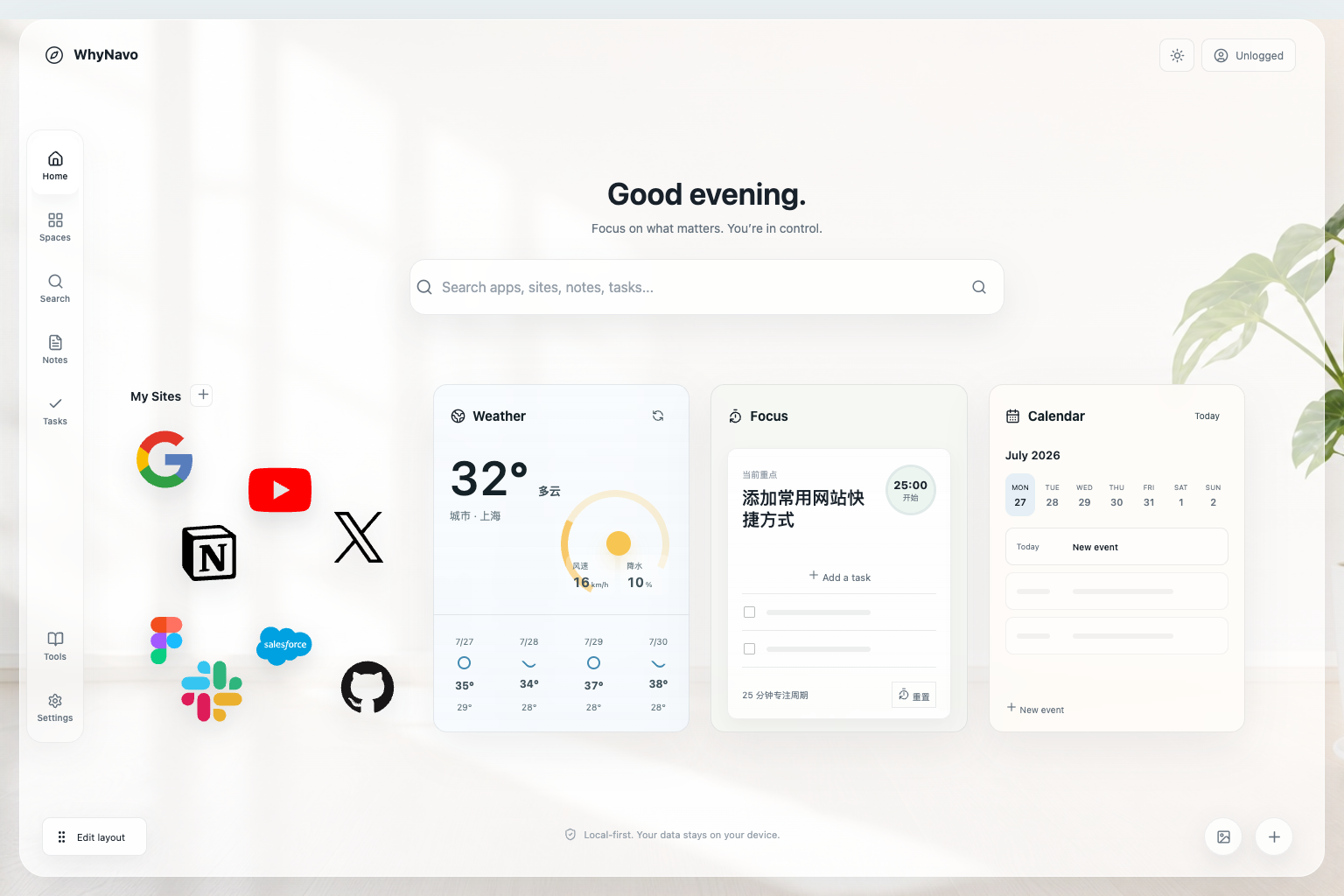
Arrange the pages, icons and widgets that belong in your day. WhyNavo keeps the canvas flexible without turning it into a noisy dashboard.









02 / WIDGETS
Weather, focus, calendar, notes and tasks each get an information layout that fits the job. Compact views stay useful instead of leaving empty space.
See every feature03 / PRIVATE BY DEFAULT
You can use WhyNavo without an account. Local shortcuts, layout, notes and tasks stay in the current browser until you choose to sign in.
Signed-out content stays in the current browser profile.
Supported fields can sync to your account across devices.
Export a data backup, turn sync off, or delete your account.
Photos, custom images, dynamic wallpaper videos and uploaded icon images stay on the device. Cloud sync is not end-to-end encrypted. Read the full guide
04 / EVERY SCREEN
Use the desktop extension on Chromium browsers, or open the responsive web app on mobile and tablet. The same product language follows you without pretending every platform works the same way.
Replace the new tab page on supported Chromium browsers.
Open the web app and add it to your home screen.
Use the dashboard directly without installing anything.
Start locally. Connect only when it helps.
No. The web app works directly in any modern browser. Install the desktop extension only when you want WhyNavo to open automatically on every Chrome or Edge new tab.
No. WhyNavo works without an account and keeps signed-out content in the current browser. Sign in only when you want supported fields to sync.
No. Device-uploaded photos, custom images, dynamic wallpaper videos and uploaded shortcut or folder images are excluded from cloud snapshots and remain on the device.
Yes. Open the web app in Safari, Chrome or another modern browser and add it to the home screen. It is a dashboard experience, not a claim to replace a mobile browser's new-tab system.
Yes. You can export a data backup, turn off sync, sign out locally, or permanently delete your account from the app.